Highlights:
- A dedicated complaint portal for Annapurna Bhandar Scheme
- File complaint if not received Rs.3,000 under the scheme
Website: https://socialsecurity.wb.gov.in
If you haven’t received Rs.3,000 under Annapurna Bhandar Scheme so you can now file a complaint.
Table of Contents
Annapurna Bhandar Scheme
| Name of the Scheme | Annapurna Bhandar |
| Launched | 1 June 2026 |
| Beneficiaries | Eligibile women citizens of West Bengal |
| Benefits | Rs.3,000 per month financial assistance |
| Nodal Agency | Department of Women & Child Development and Social Welfare |
| Latest Addition | Complaint Portal |
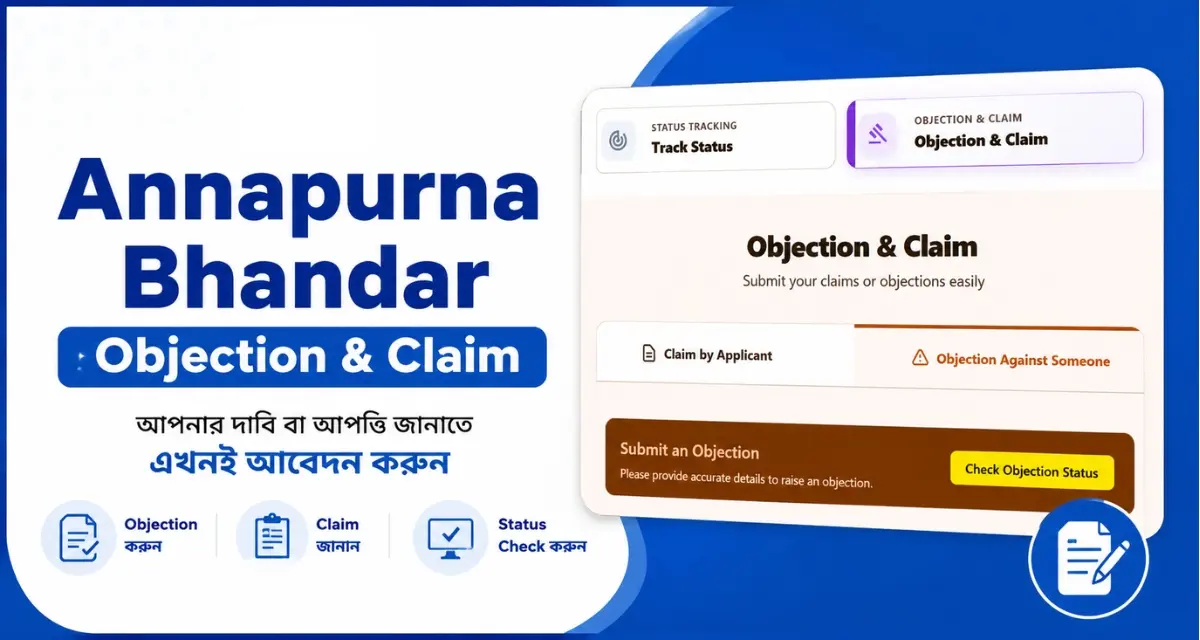
As the Chief Minister of West Bengal announced, a complaint portal related to Annapurna Bhandar Scheme has been launched. Actually, it’s not a completely different portal but an additional option added to the Citizen Access Portal. An applicant can file a complaint or an objection from this option if they haven’t received the monthly financial assistance of Rs.3,000 under the Annapurna Bhandar Scheme.
How to File an Annapurna Claim
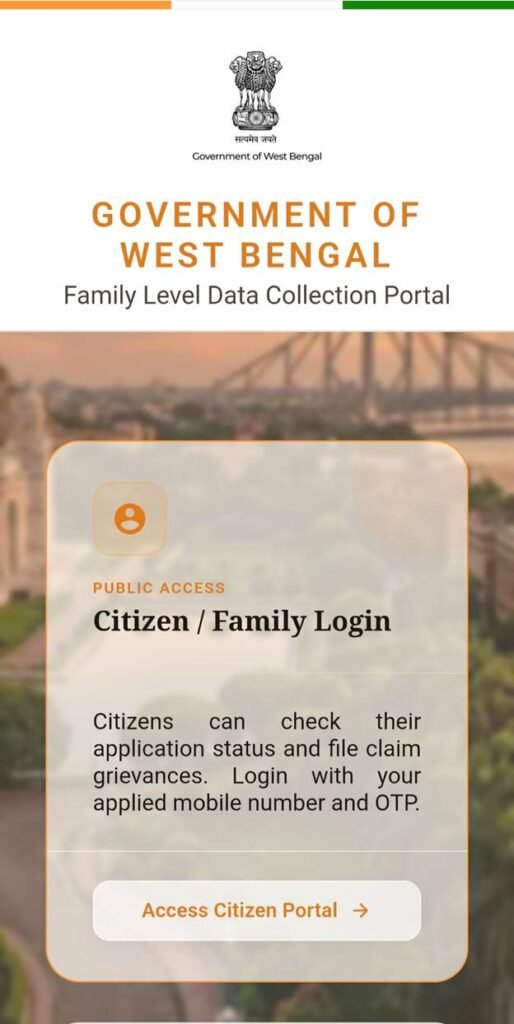
Step 1: Visit the official website of Social Security- Government of West Bengal.
Step 2: Click on Access Citizen Portal
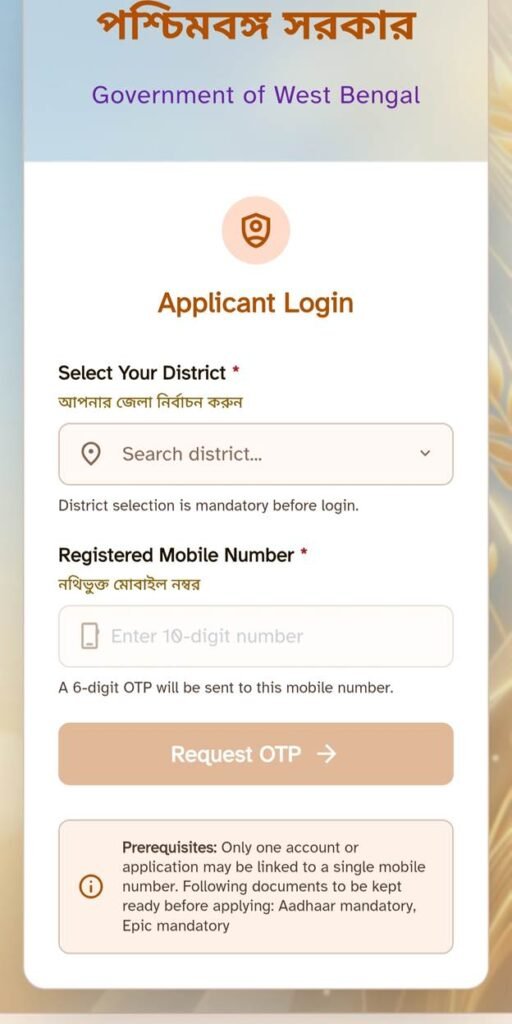
Step 3:
- Select your district
- Enter registered mobile number
- Click on Request OTP
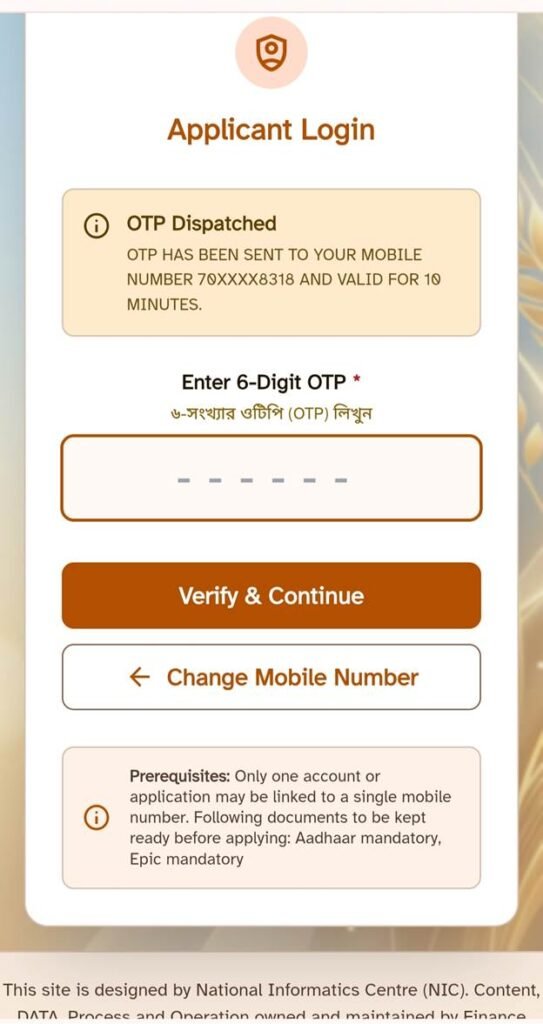
Step 4:
- Enter OTP received on registered mobile number
- Click on Verify & Continue
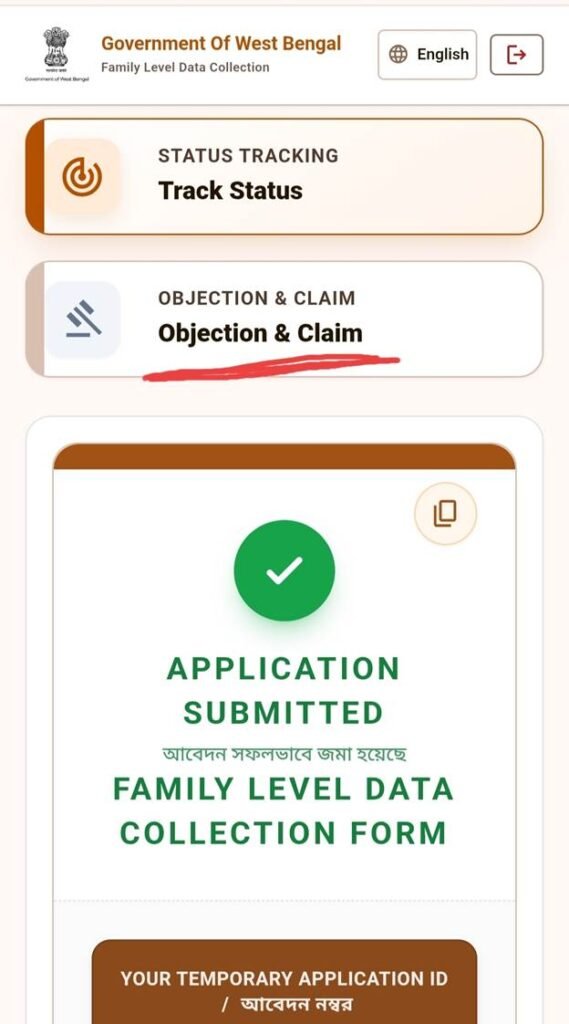
Step 5: Click on “Objection & Claim” option
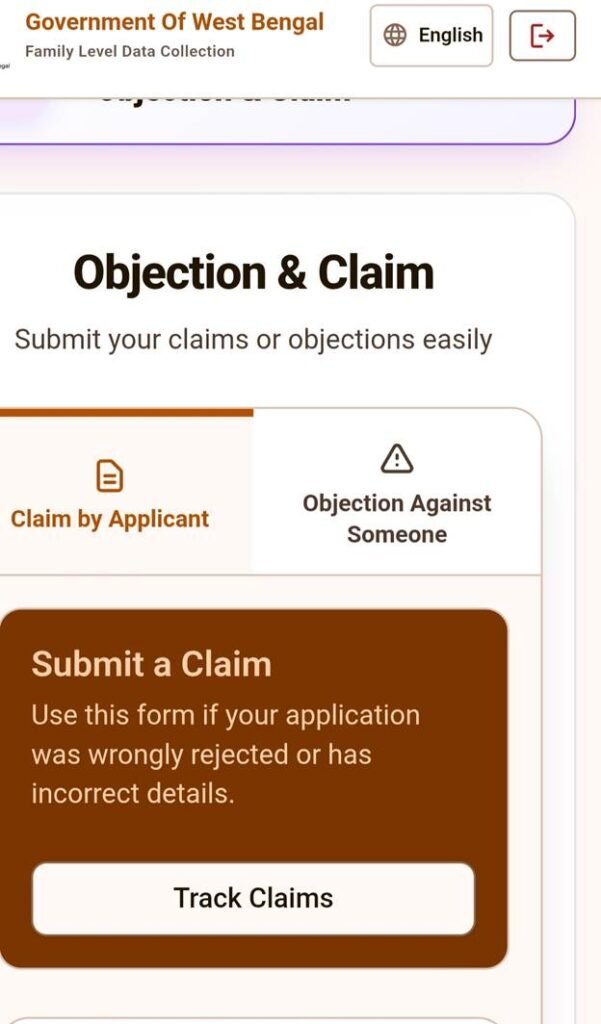
Step-6
- Then click “Claim by Applicant“
Step 7:
- Click on the check box next to the applicant’s name who is filling the complaint
- Select your reason for claim
- If your application details are incorrect, then click on the first check box
- If you wrongly marked as ineligible or your application has rejected then click on the second check box
- Describe your claim in detail.
- Upload documents in support of your claim
- Then click on Submit Claim option
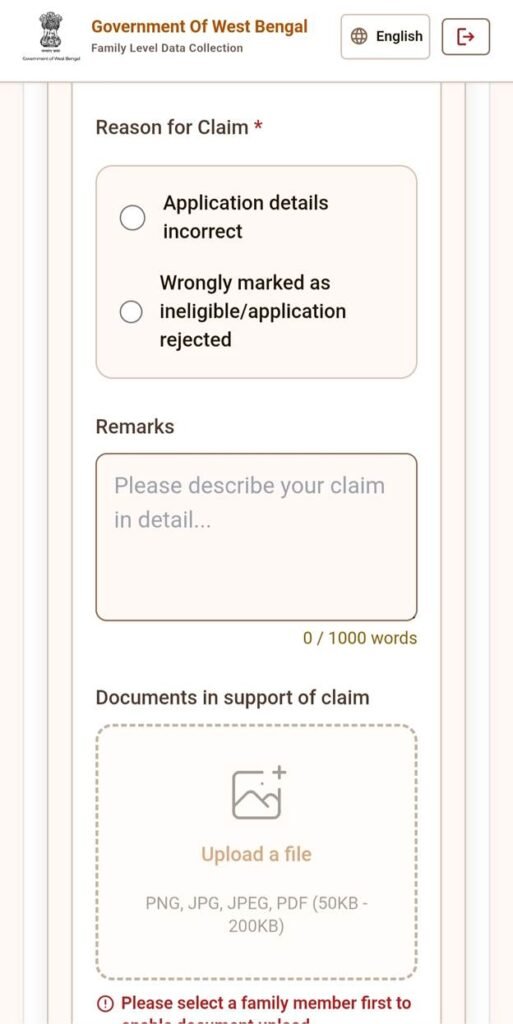
How to Fill Annapurna Objection Form
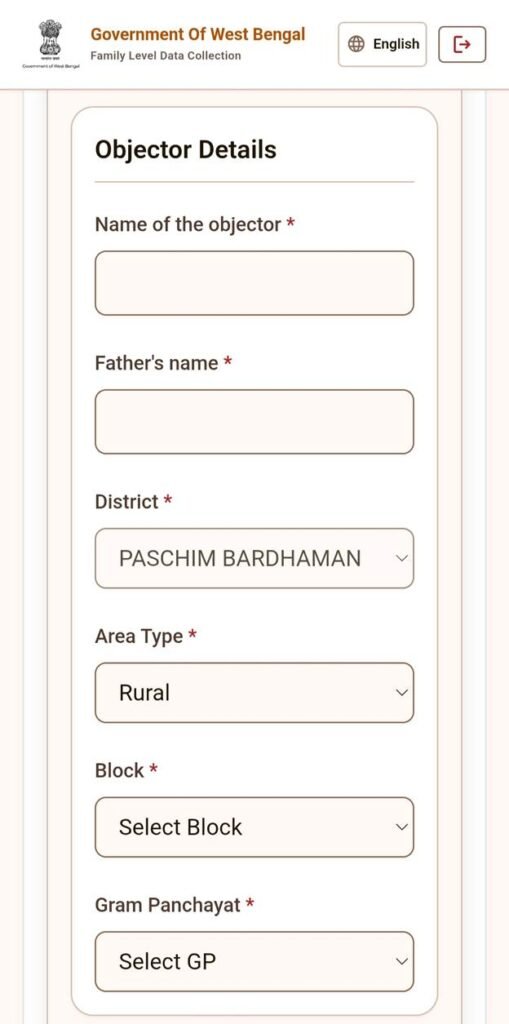
If you have an objection against any other beneficiary whom you think is not eligible, then click on “Objection Against Someone“.
- Enter name of the objector
- Enter objector’s father name
- Select district
- Select area type
- Select block
- Select Gram Panchayat
Step 9: Enter application number against which objection being raised then click on Search
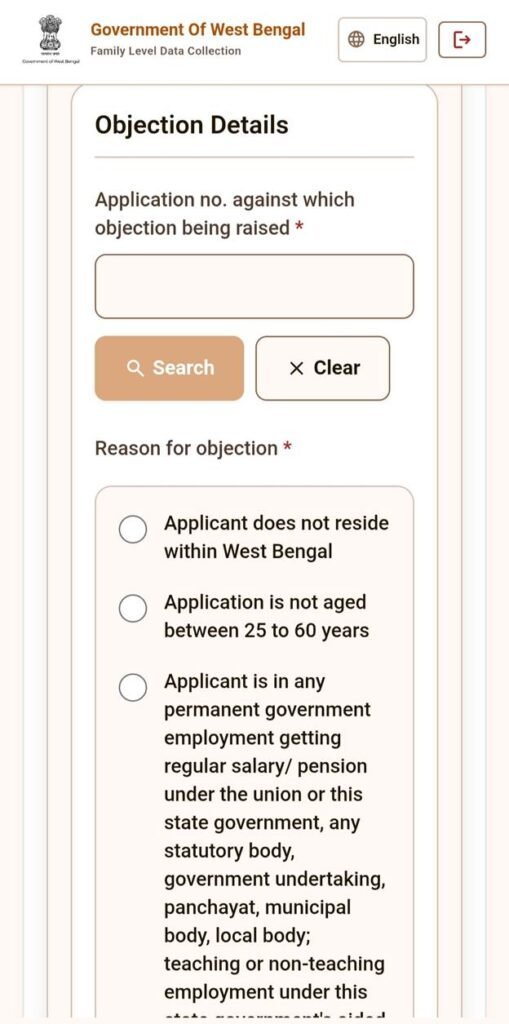
Step 10: Select your reason for objection and click on the appropriate check box.
Step 11: If you have any additional comments, write on the Remarks box
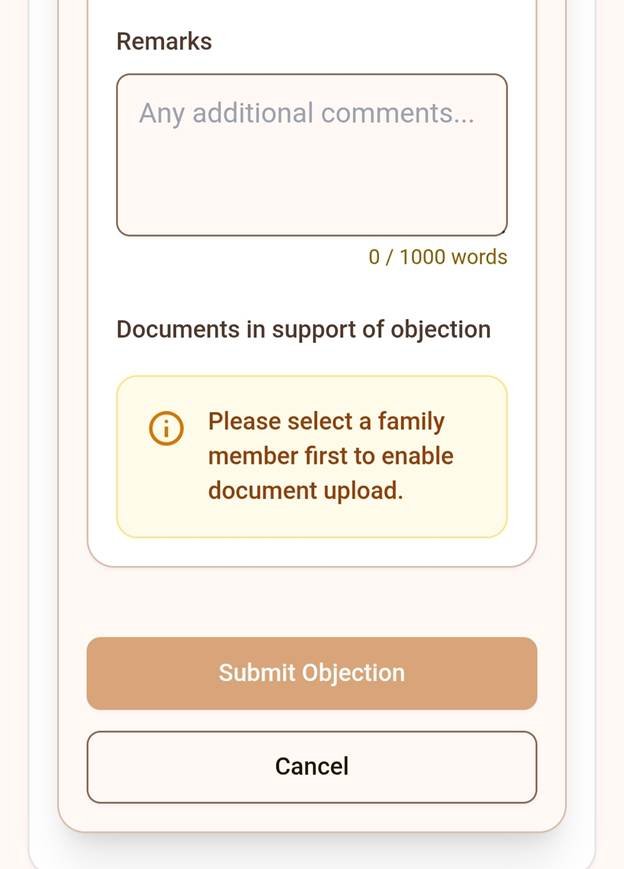
Step 12: Click on Submit Objection
Therefore, your claim or objection is now submitted. After submission, you can track your claims and objection status.
How to check Annapurna Claim & Objection Status
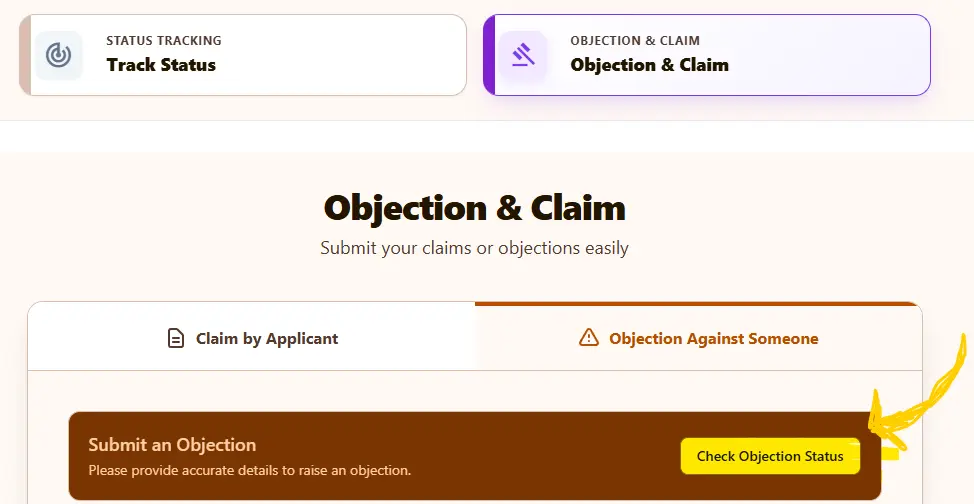
There is a Check Objection Status or Track Claims option on the first page. By clicking this option, you can track the status of your complaint.
FAQ:-
What is the monthly amount of Annapurna Yojana?
Annapurna Yojana’s monthly amount is Rs.3,000.
What is the official website for Annapurna Yojana in West Bengal?
https://socialregistry.wb.gov.in/citizen/#/
What to do if Laxmi Bhandar’s money is not received?
First of all, Laxmi Bhandar has been renamed Annapurna Bhandar. If you haven’t received Annapurna Bhandar’s money, then file a claim on the Citizen Access Portal of the Social Security- Government of West Bengal website

I’m Sourav, a professional Web Developer and SEO expert. Founder of Moneygita. Get accurate information from Moneygita.